For millions of Australians now working from home, the humble laptop has become the centrepiece of daily work life. Convenient, portable and familiar, it allows us to work from virtually anywhere — from kitchen tables to couches and spare bedrooms.
But according to workplace safety experts, that convenience comes at a cost.
A Design Problem Built into the Device
Unlike traditional desktop setups, laptops are designed for portability — not prolonged use. The core issue lies in one simple fact: the screen and keyboard are fixed together.
This design means users are forced into a compromise. If the keyboard is positioned correctly for typing, the screen is too low. If the screen is raised to eye level, the keyboard becomes uncomfortable to use.
This fundamental limitation makes it difficult — often impossible — to maintain a neutral working posture, the position the human body is best designed to hold during desk-based work.
WorkSafe Queensland warns that laptop setups can lead to awkward postures, particularly when used for long periods, increasing the risk of injury. [worksafe.qld.gov.au]
The Posture Trap
Most people don’t notice it happening, but over time, laptop use encourages a pattern of poor posture:
- Looking down at the screen, placing strain on the neck
- Leaning forward, rounding the upper back
- Typing on a low surface, forcing wrists into awkward angles
These positions may feel harmless in the moment, but when sustained over hours — and days — they can place significant stress on muscles and joints.
According to ergonomic guidance, prolonged awkward posture can lead to sprains and strains in the neck, shoulders, back, wrists and hands. [worksafe.qld.gov.au]
Why It Matters: The Risk of Injury
The human body is not designed to sit in static, awkward positions for extended periods. Over time, these small stresses accumulate and can lead to more serious conditions, including:
- Neck and upper back pain
- Shoulder tension and fatigue
- Wrist strain and repetitive strain injuries
- Eye strain and headaches
Research shows that poor ergonomics and prolonged computer use are key contributors to musculoskeletal disorders (MSDs) — one of the most common workplace injuries globally.
These conditions don’t just affect comfort — they can impact productivity, concentration, and even long-term health.
The Work-from-Home Reality
The shift to remote work has made these risks more widespread. Many home setups were never designed to support full-time work, with people often using:
- Dining chairs instead of ergonomic chairs
- Laptops as their primary (and only) device
- Improvised workspaces with limited adjustability
While these arrangements may work temporarily, they are not suitable for long-term use.
WorkSafe Queensland explicitly notes that laptops are“not suitable for intensive or prolonged use on their own”. [worksafe.qld.gov.au]
A Simple Fix — Often Overlooked
The good news is that addressing these risks doesn’t require a complete home office overhaul.
Small changes can make a significant difference, such as:
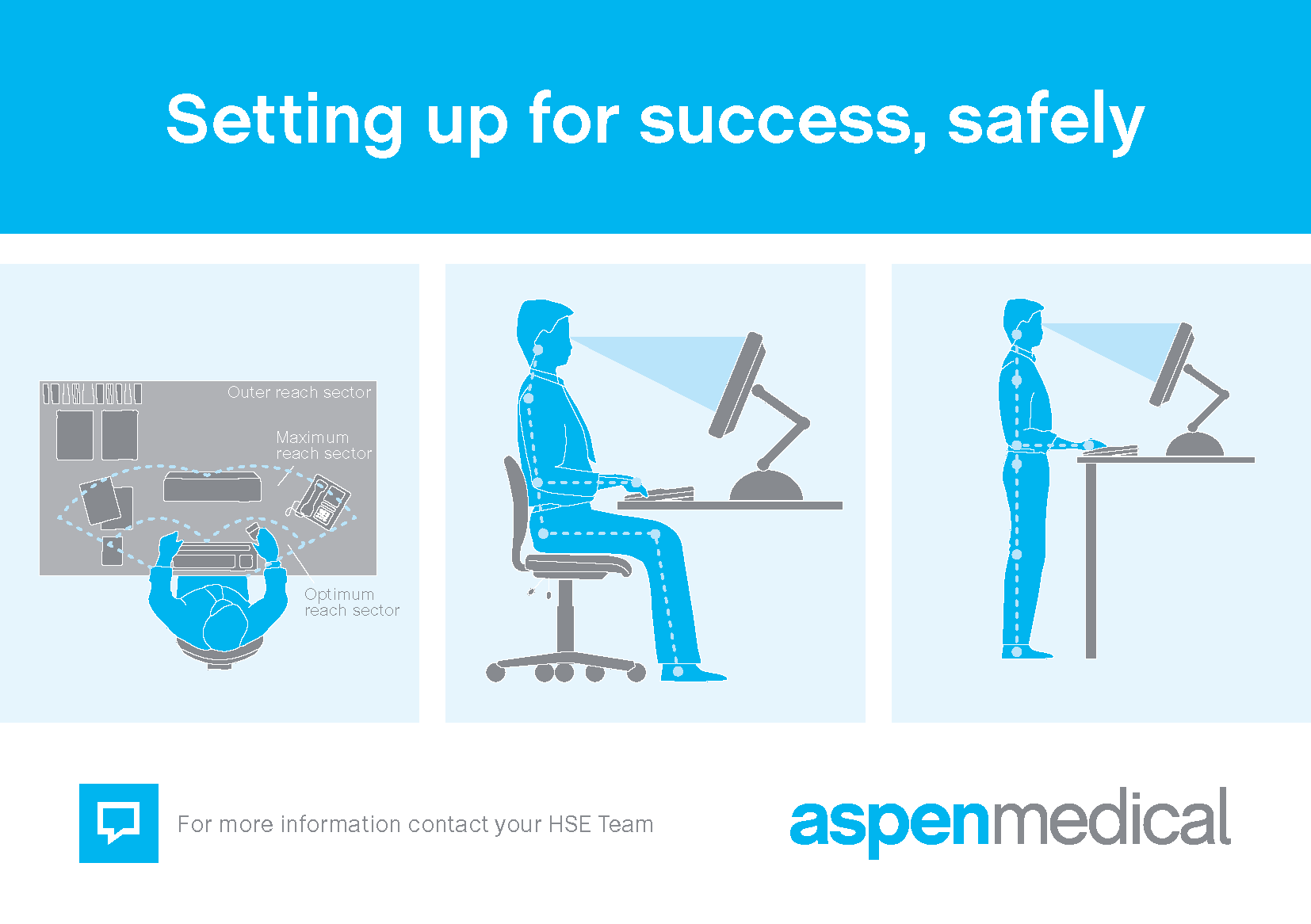
- Raising the laptop screen to eye level
- Using an external keyboard and mouse
- Ensuring the chair supports the lower back
- Taking regular breaks to move and stretch
These adjustments allow the body to remain in a more natural, relaxed position — reducing strain and fatigue over time.
You can check your workstation setup by competing Ergonomic Self-Assessment and Workstation Safety Checklist.
The Bottom Line
Laptops are incredibly useful tools — but they were never meant to replace a properly designed workstation.
Used occasionally, they pose little risk. Used all day, every day, without adjustment, they can quietly contribute to pain, fatigue, and injury.
As remote work becomes a permanent feature of modern life, one message is clear: Your workstation matters — even when it’s at home.
